The 16 Billion Password Leak: What Businesses and Teams Need to Know

Subscribe to newsletter
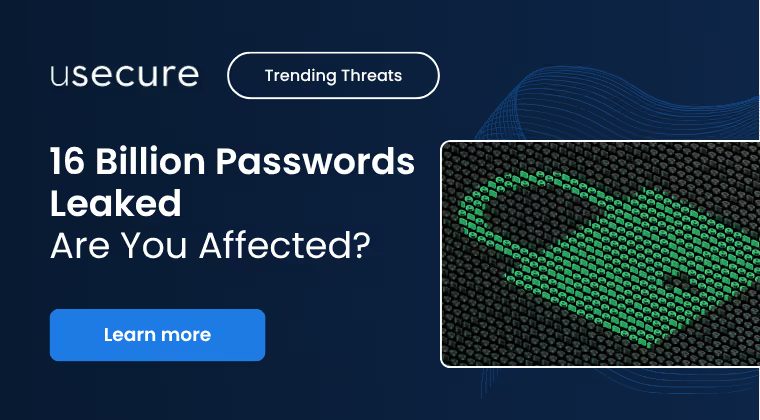
When news broke that over 16 billion usernames and passwords had been exposed online, it wasn’t tied to one massive hack. Instead, the data was compiled quietly over time by infostealer malware — malicious code that infects devices and harvests credentials in the background.
The result? A trove of login details from Apple, Google, Facebook, GitHub, and even government services across more than two dozen countries. For businesses, it’s a stark reminder that human behaviour is still the most common entry point for cyberattacks.
In this blog, we’ll unpack what happened, what’s at risk, and — most importantly — what you can do about it.
What Happened in the 16B Credentials Leak
Researchers uncovered 30 structured datasets, each holding millions (or billions) of records. Unlike random dumps, these datasets were weaponizable — neatly organised with usernames, passwords, and URLs.
That level of detail makes it easy for attackers to act fast. And because much of the data is recent, businesses can expect waves of phishing, account takeovers, and fraud attempts.
Why This Breach Puts Every Business at Risk
The scale of this breach means that almost every organisation has some level of exposure. Here’s what attackers can do with leaked credentials:
Phishing Attacks Get Smarter
Structured data lets criminals craft personalised messages that appear to come from trusted brands, colleagues, or executives — tricking users into clicking, downloading, or handing over even more data.
Account Takeovers
Without multi-factor authentication (MFA), stolen passwords can give attackers direct access to sensitive accounts, from corporate email to SaaS platforms.
Credential Stuffing
Because many people reuse passwords, cybercriminals can automate login attempts across multiple platforms, turning one weak password into multiple points of compromise.
Business Email Compromise (BEC)
If company emails are exposed, attackers can impersonate staff — especially leaders — to request fraudulent payments or extract sensitive information.
The Human Element of Cyber Risk
This breach reinforces a critical truth: attackers don’t just target technology — they target people.
- Personalisation at Scale → Real names, job titles, and domains help attackers build credibility.
- Password Reuse → A single set of leaked credentials can compromise personal and business accounts.
- Exploiting Familiarity → Employees are more likely to trust phishing emails that mimic familiar brands or colleagues.
Human behaviour continues to be the weakest link — and the most powerful defence when properly managed.
How Businesses Can Stay Protected
The good news: there are concrete steps every organisation can take to mitigate the fallout of breaches like this.
1. Change Compromised Passwords Immediately
Prioritise users with access to sensitive systems, admin privileges, or shared accounts.
2. Enforce Multi-Factor Authentication (MFA)
Apply MFA universally — across apps, identity providers, and remote access tools.
3. Accelerate Passkey Adoption
Where supported, transition staff to passkeys to eliminate password-based phishing risks.
4. Deploy a Standardised Password Manager
Provide a centrally managed solution preloaded with required logins and MFA details.
5. Create a Reporting-First Culture
Make it easy — and expected — for staff to report suspicious messages. Better to report false alarms than miss a real threat.
6. Monitor the Dark Web Continuously
Use tools that alert admins when fresh credentials appear in breach data, enabling early response.
Are You Affected?
With billions of credentials now exposed, there’s a strong chance that your employees’ details are already on the dark web.
usecure’s breach monitoring helps you:
- Detect exposed employee credentials across domains
- Alert users and admins in real time
- Prove action to auditors and regulators
- Reduce business risk by closing the gap between breach and response
👉 Check your exposure now with uBreach and take back control of your human risk.
Sources: Cybernews, Forbes, Business Times, Time.com
BOOK A DEMO
See Human Risk Intelligence in action
A 30-minute walkthrough of how to cut human risk across your users, tailored to MSPs and IT teams.
Subscribe to newsletter

FAQs
Las empresas pueden usar herramientas de detección de credenciales expuestas para cotejar las direcciones de correo de los empleados o los dominios asociados con bases de datos de filtraciones conocidas. Estas comprobaciones señalan las cuentas afectadas y ayudan a los equipos de TI a investigar una posible reutilización de contraseñas o un acceso no autorizado.
Investiga la cuenta expuesta, restablece las contraseñas afectadas, comprueba si se han reutilizado contraseñas, verifica la configuración de MFA y revisa la actividad reciente de la cuenta cuando proceda. La respuesta debe tener en cuenta la sensibilidad de la cuenta y si hay indicios de acceso no autorizado.
No. La monitorización de la dark web detecta exposiciones conocidas para que las organizaciones puedan investigar y actuar. No impide el robo de credenciales ni garantiza que se detecten todas las cuentas comprometidas.
Sí. usecure ofrece demos a empresas y MSP que quieran conocer sus capacidades de Human Risk Management y Human Risk Intelligence. En una demo verás la plataforma y los flujos de trabajo relevantes para ti, y podrás plantear tus requisitos antes de comprar.
Related posts
Explore more insights, updates, and resources from usecure.
Top 10 cybersecurity threats in 2024



See effortless human risk intelligence in action
Book a demo to see how usecure reduces human risk for IT teams and MSPs, or start a free trial to explore the platform yourself.

