Wie MSPs Security Awareness skalieren – ohne mehr Verwaltungsaufwand

.png)
Subscribe to newsletter
Jeder neue Kunde sollte den wiederkehrenden Umsatz steigern – und nicht dazu führen, dass wieder neue Kampagnen konfiguriert, Nutzer importiert, Reports erstellt und Richtlinienerinnerungen hinterhergetragen werden müssen.
Genau an diesem Punkt lassen sich viele Services rund um menschliche Risiken nur schwer skalieren.
Eine Plattform mag mehrere Kundenkonten unterstützen, doch das macht sie noch lange nicht verwaltungsarm. Der entscheidende Test ist, wie viel Arbeit nach dem Anlegen eines Kunden noch übrig bleibt.
Für MSPs bedeutet skalierbare Bereitstellung: wiederkehrende Aufgaben automatisieren und gleichzeitig genug Kontrolle behalten, um den Service anzupassen, auf Risiken zu reagieren und jedem Kunden den Mehrwert nachzuweisen.
Das ist wichtig, denn Security Awareness ist kein einmaliges Projekt. CIS Control 14 fordert von Organisationen, ein fortlaufendes Security-Awareness-Programm aufzubauen und aufrechtzuerhalten, während das NIST Cybersecurity Framework 2.0 darauf abzielt, Cyberrisiken kontinuierlich zu verstehen, zu priorisieren und zu kommunizieren. (CIS)
Wer das über Dutzende oder Hunderte Kunden hinweg konsistent liefern will, braucht mehr als ein Portal mit mehreren Logins.
Die kurze Antwort
Verwaltungsarme Multi-Kunden-Bereitstellung bedeutet: Ein MSP kann sein gesamtes Kundenportfolio onboarden, konfigurieren, automatisieren, überwachen und reporten, ohne dieselbe Arbeit für jedes Konto erneut zu erledigen.
Eine skalierbare Plattform sollte dem MSP ermöglichen:
- Standardeinstellungen auf neue Kunden anzuwenden
- On- und Offboarding von Nutzern zu automatisieren
- Trainings- und Phishing-Programme dauerhaft laufen zu lassen
- Richtlinien und offengelegte Zugangsdaten zu verwalten
- Reports automatisch zu erstellen und zu versenden
- Risikoereignisse mit bestehenden Service-Desk-Workflows zu verknüpfen
- Das Erlebnis im eigenen Branding (White-Label) bereitzustellen
- Flexibel abzurechnen – ohne Lizenzmindestmengen
Das Ziel ist nicht, weniger für Kunden zu tun. Es geht darum, repetitive Administration zu beseitigen, damit der MSP einen konsistenteren und messbaren Service liefern kann.
Mandantenfähig heißt nicht automatisch verwaltungsarm
Die Verwaltung mehrerer Konten wird am Markt zunehmend zum Standard.
KnowBe4 bietet beispielsweise eine Konsole zur Kontoverwaltung und unterstützt gesteuerte Trainingskampagnen über mehrere Kundenkonten hinweg. Auch Hoxhunt dokumentiert mandantenfähige Konfigurationen für Organisationen, die getrennte Umgebungen verwalten.
Diese Funktionen sind wichtig, beantworten aber nicht die ganze Frage.
Für einen MSP lautet die aufschlussreichere Frage:
Wie viel Arbeit muss für ein Kundenkonto nach dessen Anlage noch manuell erledigt werden?
Eine Partnerkonsole kann die Sichtbarkeit zentralisieren und Administratoren trotzdem dazu zwingen, Kundenkonfiguration, Kampagnen-Setup, Reporting und Nachverfolgung immer wieder zu wiederholen.
Echte verwaltungsarme Bereitstellung reduziert diese Wiederholungsarbeit über den gesamten Service-Lebenszyklus hinweg.
.png)
Wo der Verwaltungsaufwand für MSPs entsteht
Der erste Kunde ist selten das Problem.
Spürbar wird der Aufwand erst, wenn derselbe Prozess für Kunde 20, 50 oder 100 wiederholt werden muss:
- Accounts anlegen und konfigurieren
- Branding und Inhaltseinstellungen anwenden
- Nutzer importieren und Mitarbeiterlisten pflegen
- Neue Mitarbeitende einschreiben
- Ausgeschiedene Mitarbeitende entfernen
- Schulungen planen
- Phishing-Kampagnen aufsetzen
- Richtlinienbestätigungen nachverfolgen
- Monatliche Reports exportieren
- Updates an Ansprechpartner beim Kunden senden
- Fehlverhalten prüfen und Service-Tickets eröffnen
- Lizenzen und Abrechnung abgleichen
Jede einzelne Aufgabe wirkt für sich genommen klein. In der Breite schmälern sie jedoch die Service-Margen und begrenzen, wie viele Kunden ein Administrator betreuen kann.
Eine wirklich MSP-taugliche Plattform sollte so viel dieser Wiederholungsarbeit wie möglich eliminieren.
1. Onboarding wiederholbar machen
Ein Service mit geringem Verwaltungsaufwand beginnt, bevor der erste Nutzer eingeschrieben wird.
MSPs sollten Standardeinstellungen für neue Kunden festlegen können – etwa Branding, Sprache, E-Mail-Einstellungen, Schulungskonfiguration und Produkt-Setup. Diese Voreinstellungen sollten beim Anlegen eines Kunden automatisch greifen, statt jedes Mal neu aufgebaut zu werden.
Mit usecure können MSPs Standardeinstellungen für Kunden bereits vor dem Onboarding konfigurieren. Neue Kunden übernehmen die bevorzugten Plattform- und Theme-Einstellungen des MSP, während einzelne Accounts bei Bedarf weiterhin angepasst werden können.
So entsteht eine wiederholbare Basis, ohne jeden Kunden in ein identisches Programm zu zwingen.
2. Den Nutzer-Lifecycle automatisieren
Mitarbeiterdaten verändern sich permanent.
Menschen kommen hinzu, verlassen das Unternehmen, wechseln die Abteilung oder übernehmen neue Rollen. Wenn die Nutzerverwaltung auf CSV-Exporten und manuellen Prüfungen beruht, ist die Plattform schnell nicht mehr aktuell.
Über die Integrationen mit Microsoft 365 und Google Workspace lassen sich Nutzer und Gruppen der Kunden direkt in die Plattform synchronisieren. Die Microsoft 365-Synchronisierung von usecure aktualisiert Nutzer und Gruppen automatisch täglich; eine manuelle Synchronisierung ist möglich, wenn eine sofortige Aktualisierung nötig ist.
Ist Auto Enrol aktiviert, starten neue Nutzer direkt nach ihrer Aufnahme mit dem Schulungsprogramm – anstatt darauf zu warten, dass ein Administrator sie bemerkt und ihnen einen Kurs zuweist.
So hält der MSP die Abdeckung aufrecht, während sich der Kundenbestand verändert – ohne dass jede Personalbewegung zu einem Service-Ticket wird.
3. Schulungen und Phishing ohne ständiges Setup weiterlaufen lassen
Ein skalierbarer Service darf nicht davon abhängen, dass ein Administrator jeden Monat manuell einen Kurs auswählt oder eine Simulation erstellt.
Mit Auto Enrol absolvieren Nutzer zunächst eine Wissensstandsanalyse und erhalten anschließend ein Lernprogramm, das auf ihren Ergebnissen basiert. Neue Nutzer durchlaufen denselben Prozess automatisch.
Auto Phish bietet MSPs ein vergleichbares Betriebsmodell für Simulationen: Kampagnen werden terminiert und passende Vorlagen ausgewählt, ohne dass jeder Versand von Grund auf neu aufgesetzt werden muss.
Die Automatisierung übernimmt die wiederkehrende Auslieferung. Der MSP kann seine Zeit dann für Ausnahmen, besonders risikobehaftete Nutzer und Kundengespräche einsetzen.
usecures uLearn Security Awareness Training und die uPhish Simulationsplattform sind darauf ausgelegt, diese fortlaufenden Programme zu automatisieren – bei gleichzeitig voller Transparenz über die Ergebnisse der einzelnen Nutzer.
4. Manuelle Monatsreports überflüssig machen
Reporting ist einer der schnellsten Wege, einen Managed Service unrentabel werden zu lassen.
Die zugrunde liegenden Daten sind oft längst vorhanden, doch jemand muss sie exportieren, aufbereiten, in ein präsentables Dokument bringen und an den richtigen Ansprechpartner senden.
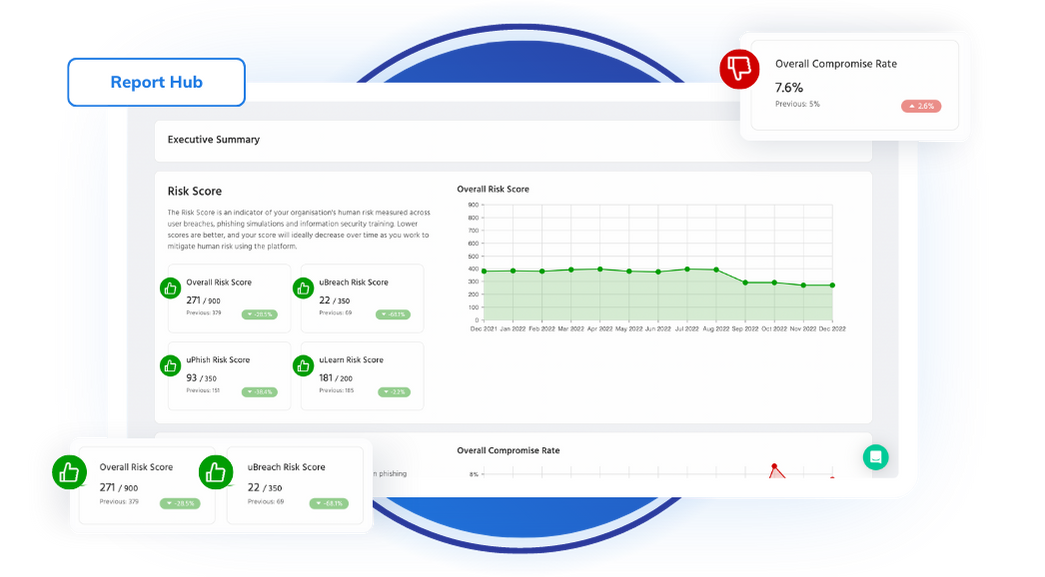
Report Hub führt Training, Phishing, Richtlinien und weitere Aktivitäten rund um menschliche Risiken in fertigen, teilbaren Reports zusammen. Reports lassen sich für individuelle Zeiträume erstellen, als PDF herunterladen und monatlich, quartalsweise oder jährlich für den automatischen Versand an ausgewählte Empfänger einplanen.
So erhalten MSPs einen wiederholbaren Reporting-Prozess, während die Ergebnisse jedes Kunden sauber getrennt bleiben.
Das schafft zudem eine bessere Grundlage für QBRs. Statt im Meeting zu erklären, welche Maßnahmen umgesetzt wurden, kann der MSP darauf eingehen, wie sich das Risiko verändert hat, welche Nutzer Aufmerksamkeit brauchen und welche Schritte als Nächstes anstehen.
Mehr dazu: Wie MSPs mit Report Hub aus Risikoreports wiederkehrende Umsätze machen.
5. Den Service in einem einzigen Arbeitsablauf bündeln
Die Administration von Security Awareness wird deutlich aufwendiger, wenn jeder Teil des Services in einer anderen Plattform liegt.
Trainings laufen in der einen Konsole, Phishing in der nächsten, Richtlinien in einem Dokumentensystem und kompromittierte Zugangsdaten in einem separaten Monitoring-Tool. Die Zusammenführung der Ergebnisse bleibt dann am MSP hängen.
usecure vereint vier zentrale Servicebereiche in einer Plattform:
- uLearn für automatisiertes Security-Awareness-Training
- uPhish für Phishing-Simulationen
- uPolicy für Richtlinienverteilung, eSign und Audit-Nachweise
- uBreach für das Monitoring kompromittierter Zugangsdaten
- uHealth für die Zusammenführung von Verhaltens-, Identitäts-, Hygiene- und Zugriffssignalen, um Risiken zu priorisieren, Maßnahmen zu steuern und Verbesserungen über die Zeit nachzuweisen
uPolicy zentralisiert das Richtlinienmanagement und automatisiert Bestätigungen, während uBreach die Sichtbarkeit kompromittierter Zugangsdaten ergänzt – direkt neben den Trainings- und Phishing-Aktivitäten der jeweiligen Nutzer.
Der Vorteil ist ebenso operativ wie technisch: weniger Konsolen, weniger voneinander getrennte Reports und weniger Lücken zwischen dem Erkennen eines Problems und dessen Behebung.
6. Risikoereignisse in den Service Desk bringen
Eine verwaltungsarme Bereitstellung sollte sich in die bestehenden Workflows des MSP einfügen, statt ein weiteres Dashboard zu schaffen, an dessen Kontrolle Techniker denken müssen.
Die PSA-Integrationen von usecure übertragen Human-Risk-Ereignisse als Tickets oder Benachrichtigungen an ConnectWise, Autotask, HaloPSA und NinjaOne. Der initiale Integrationsumfang umfasst nicht bestandene Phishing-Simulationen, sodass Service Desks reagieren können, ohne die Plattform wiederholt manuell prüfen zu müssen.
Mehr dazu: usecure in Ihren PSA-Workflow einbinden.
Das wird besonders wichtig, wenn der Service wächst. Automatisierung sollte nicht nur die Aktivitäten ausliefern, sondern Ausnahmen auch an die Personen weiterleiten, die dafür verantwortlich sind.
7. Auch das Geschäftsmodell muss skalieren
Operative Flexibilität ist nur eine Seite der Skalierbarkeit für MSPs.
Das kommerzielle Modell muss ebenso für kleine wie große Kunden funktionieren – für Testphasen, schwankende Nutzerzahlen und unterschiedliche Service-Stufen.
usecure bietet:
- Ein Dashboard für den gesamten Kundenstamm
- White-Labeling
- Individuelle Produktnamen und Branding
- Rollenbasierte Administratorzugriffe
- Flexible Abrechnung
- Keine Lizenzmindestmengen
- Eine kostenlose NFR-Umgebung für das eigene Team des MSP
Die Plattform ist von Grund auf für die Bereitstellung über mehrere Kunden hinweg konzipiert – und nicht nachträglich aus einem Produkt für Einzelunternehmen angepasst worden.
Das gibt MSPs den Spielraum, den Service in ein umfassenderes Sicherheitspaket aufzunehmen, ihn separat zu verkaufen oder ihn schrittweise im Kundenstamm einzuführen.
Wie verwaltungsarme Bereitstellung in der Praxis aussieht
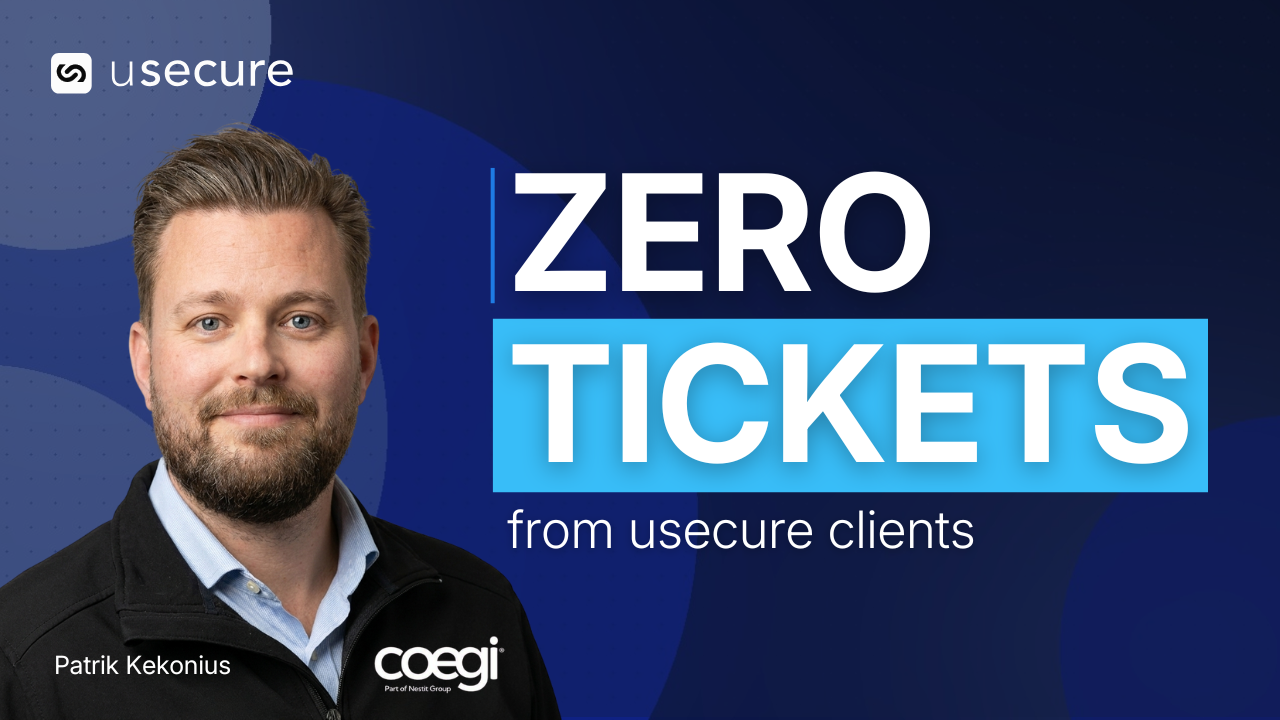
Coegi Cloud betreut rund 400 Kunden und hat mehr als 350 Nutzer auf usecure.
Dank der Einfachheit der Plattform konnte Sales Director Patrik Kekonius einen neuen Kunden-Tenant selbst anbinden – obwohl er nicht der technische Lead ist.
„Ich kann mich nicht einmal erinnern, ob es eine Stunde gedauert hat. Die gesamte Plattform ist absolut selbsterklärend.“
Nutzer werden anschließend automatisch on- und offboardet, sobald sich der Tenant des Kunden ändert.
Coegi nutzt zudem einen direkten Vergleich innerhalb des eigenen Kundenstamms. Laut Patrik kamen von den Accounts, die usecure einsetzen, keine Tickets mehr zu Phishing, Richtlinien oder Schulungen – während Kunden außerhalb dieser Gruppe weiterhin anriefen.
Genau das ist das operative Ergebnis, das eine verwaltungsarme Bereitstellung liefern sollte: weniger wiederkehrende Aufgaben für den MSP und weniger vermeidbare Support-Anfragen aus dem Kundenkreis.
Weniger Aufwand darf nicht weniger Wirkung bedeuten
Automatisierung zahlt sich nur aus, wenn sie weiterhin ein greifbares Ergebnis liefert.
Focus Technology Europe setzt usecure ein, um Richtlinien, Awareness-Trainings, Phishing-Simulationen und Credential Monitoring als festen Bestandteil des Kunden-Stacks bereitzustellen.
Zuvor hatte der MSP rund 5.000 £ für ein einziges professionell erstelltes Rechtsdokument gezahlt. Mit usecure erhalten die Kunden nun eine deutlich breitere, geprüfte Richtlinienbibliothek, die aktuell gehalten wird – ohne dass das Focus-Team jedes Dokument manuell beschaffen und pflegen muss.
Das Ergebnis war nicht nur weniger Verwaltungsaufwand: Das Kundenrisiko sank innerhalb kurzer Zeit von über 85 % auf unter 20 %.
Andrew Davenport, Gründer von Focus Technology, erklärt es so:
„usecure übernimmt die gesamte Schwerstarbeit, die ganze Mühe. Das spart stundenlange Arbeit und sehr viel Geld.“
Die Case Study zeigt genau die Balance, auf die MSPs achten sollten: manuellen Aufwand eliminieren und gleichzeitig die Servicequalität für Kunden steigern.
.png)
Diese Fragen sollten Sie jeder Multi-Client-Plattform stellen
Bevor sich MSPs für eine Plattform entscheiden, sollten sie über das bloße Vorhandensein einer Partnerkonsole hinausschauen und fragen:
- Können wir für jeden neuen Kunden Standardeinstellungen anwenden?
- Lassen sich Nutzer automatisch synchronisieren und entfernen?
- Können Trainings und Phishing ohne monatliche Einrichtung weiterlaufen?
- Können wir Richtlinien und Credential-Exposure im selben Service verwalten?
- Lassen sich Reports automatisch erstellen und versenden?
- Können Risikoereignisse Tickets in unserem PSA erzeugen?
- Können wir Zugriffe delegieren, ohne jedem Administrator volle Kontrolle zu geben?
- Können wir das Kundenerlebnis mit eigenem Branding versehen?
- Passt sich die Abrechnung an, wenn sich die Kundenzahlen ändern?
- Gibt es Lizenzmindestmengen oder langfristige Vertragsbindungen?
- Wie viel Arbeit muss weiterhin in jedem einzelnen Kundenkonto wiederholt werden?
- Können wir belegen, dass die Automatisierung das Risiko senkt und nicht nur Aktivität erzeugt?
Die Antworten zeigen, ob eine Plattform tatsächlich für Managed Delivery konzipiert ist – oder lediglich mehrere Kundenkonten speichern kann.
Den Service skalieren, nicht den Aufwand
Mandantenfähigkeit wird heute vorausgesetzt. Der eigentliche Unterschied liegt in einer Bereitstellung mit minimalem Administrationsaufwand.
Das richtige Betriebsmodell ermöglicht es einem MSP, das Onboarding zu standardisieren, wiederkehrende Aktivitäten zu automatisieren, die Sichtbarkeit zu zentralisieren und Ausnahmen in bestehende Workflows zu leiten. So entsteht zusätzliche Kapazität, ohne dass Kundenbetreuung oder Servicequalität darunter leiden.
usecure für MSPs vereint Training, Phishing-Simulationen, Policy-Management, Credential-Monitoring und Reporting in einer mandantenfähigen Plattform – inklusive Automatisierung, White-Labeling, flexibler Abrechnung und ohne Mindestabnahme.
Das Ergebnis ist ein Human-Risk-Service, der über den gesamten Kundenstamm hinweg wachsen kann, ohne dass der Verwaltungsaufwand im gleichen Maß mitwächst.
Skalieren Sie Ihren Human-Risk-Service, ohne den Administrationsaufwand mitzuskalieren. Erfahren Sie, wie usecure MSPs dabei unterstützt, Kunden zu onboarden, die Bereitstellung zu automatisieren und die Risikoreduzierung in jedem
MSP-Demo buchen
FAQ
Was versteht man unter mandantenfähigem Security-Awareness-Management?
Mandantenfähiges Management erlaubt es einem MSP, Security-Awareness-Programme für mehrere Kundenorganisationen aus einer Partner- oder Managementumgebung heraus zu betreuen. Die stärksten Plattformen automatisieren zusätzlich die Kundenkonfiguration, die Nutzersynchronisation, Kampagnen, Reporting und Abrechnung.
Was macht eine Security-Awareness-Plattform administrationsarm?
Eine administrationsarme Plattform reduziert die wiederkehrende Arbeit bei Onboarding, Nutzerverwaltung, Training, Phishing, Richtlinien, Reporting und Remediation. Sie sollte Standardaktivitäten automatisieren und dem MSP zugleich ermöglichen, dort einzugreifen, wo ein Kunde oder einzelne Nutzer besondere Aufmerksamkeit benötigen.
Macht Automatisierung Kundenprogramme weniger individuell?
Nicht zwangsläufig. Automatisierung kann Enrolment, Terminplanung und wiederkehrende Bereitstellung übernehmen, während Nutzerdaten, Wissenslücken und Leistung bestimmen, welche Inhalte jede einzelne Person erhält. Standardisierte Administration bedeutet nicht, dass auch jede Nutzererfahrung standardisiert sein muss.
Ist usecure speziell für MSPs entwickelt?
Ja. usecure bietet ein mandantenfähiges Dashboard, White-Labeling, Standardeinstellungen für neue Kunden, automatisierte Programme, rollenbasierte Zugriffsrechte, PSA-Integrationen, flexible Abrechnung und keine Lizenzmindestmengen. Weltweit setzen über 2.000 MSPs auf usecure.
BOOK A DEMO
See Human Risk Intelligence in action
A 30-minute walkthrough of how to cut human risk across your users, tailored to MSPs and IT teams.
Subscribe to newsletter

Related posts
Explore more insights, updates, and resources from usecure.
Die 10 besten NIS2-Compliance-Tools für 2026 (im Vergleich)

.png)
10 Security-Awareness-Plattformen im Vergleich für 2026
%20(1).png)
Die 10 besten Phishing-Simulationstools für 2026 [Vollständiger Leitfaden]
See effortless human risk intelligence in action
Book a demo to see how usecure reduces human risk for IT teams and MSPs, or start a free trial to explore the platform yourself.

