Product & Content Updates May 2022: Course Builder Enhancements


Subscribe to newsletter
May Partner Update
Each month, the usecure team releases new features and improvements to the platform to help you make the most out of usecure. Here's what's new in May 2022.
Deploy custom courses to your customers more easily
We've updated the uLearn Course Builder with some new features to make it easier than ever for you to deploy custom courses for your customers.
- Use the Access Control tab to make a course available to all of your customers, or to customers of your choosing
- Preview the course icon on the Edit Course page with the new preview box
Keep track of your users' Auto Enrol schedules
You can now find out which courses Auto Enrol will send out to your users next. Open a user's pop-up by clicking on them on the Users page, and scroll down to the Upcoming Courses section. Courses that have been scheduled to send out to them will be displayed, along with the time at which they will be sent out. (Don't see anything? Turn on Auto Enrol to automatically train your end users.)
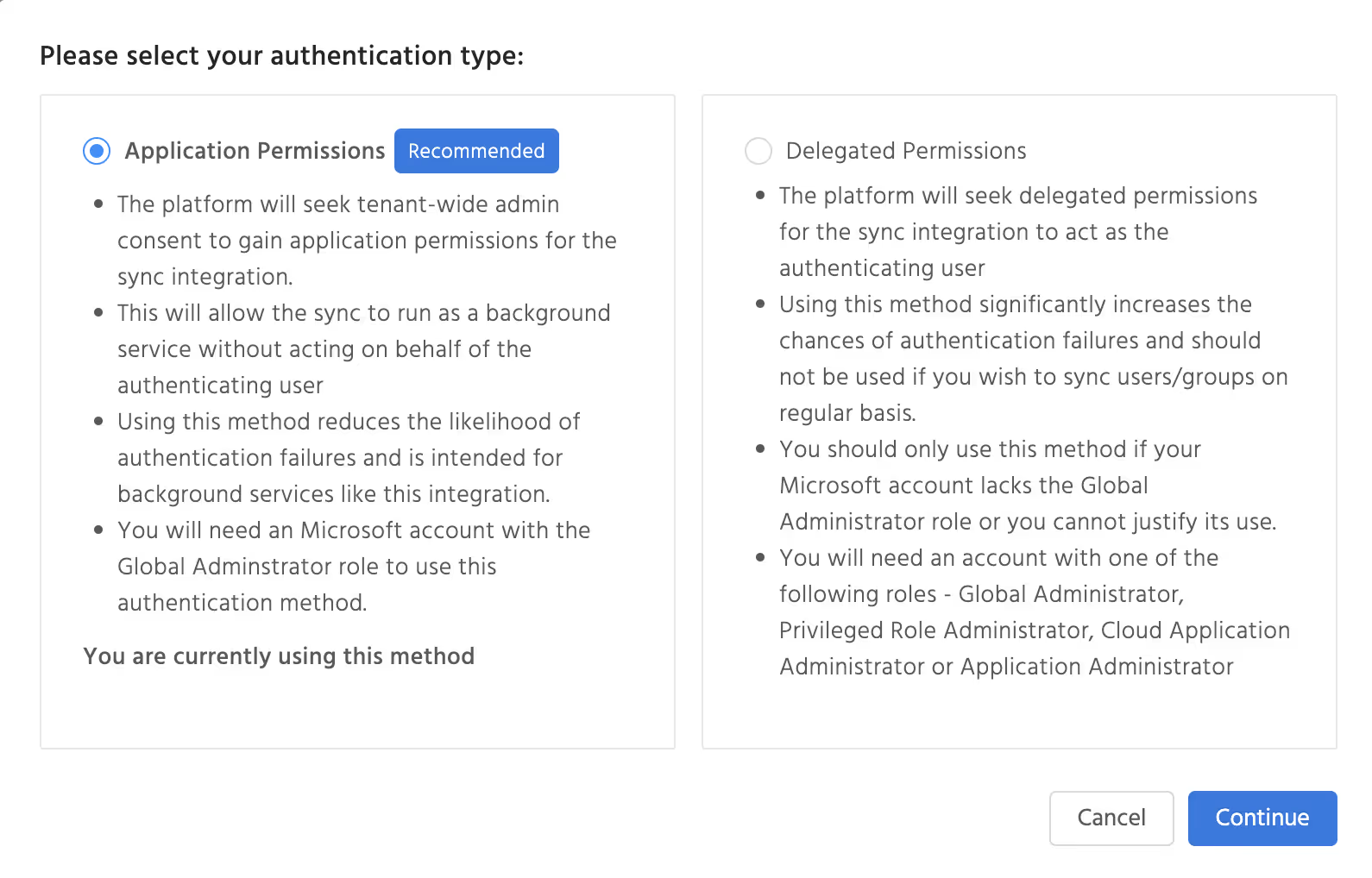
Choose your M365 authentication type
You may not have access to the Global Administrator role on all of your customer accounts. To make it easier for you to connect customer accounts through M365, the connection wizard now lets you choose which authentication type you wish to use. Note that we still recommend you to use the 'Application Permissions' authentication type for all accounts that you do have Global Administrator privileges for.
That's it for this month - see you on the usecure platform!
BOOK A DEMO
See Human Risk Intelligence in action
A 30-minute walkthrough of how to cut human risk across your users, tailored to MSPs and IT teams.
Subscribe to newsletter

FAQs
uLearn von usecure ermittelt das Sicherheitswissen jedes Benutzers und weist über Auto Enrol Schulungen passend zu den erkannten Wissenslücken zu. Automatische Kursplanung, Erinnerungen und Reporting helfen Unternehmen, ein kontinuierliches Programm mit weniger manuellem Verwaltungsaufwand umzusetzen.
Adaptives Security Awareness Training personalisiert das Lernen anhand des vorhandenen Wissens, der Leistung oder der Risikobereiche jeder Person. Statt allen dieselben Kurse zuzuweisen, konzentriert es die Schulung auf die Themen, bei denen sich die jeweilige Person verbessern muss.
Ja. usecure bietet eine kostenlose 14-tägige Testversion seiner zentralen Human Risk Management Plattform an – mit Security Awareness Training, Phishing-Simulationen, Richtlinienmanagement und der Prüfung offengelegter Zugangsdaten.

See effortless human risk intelligence in action
Book a demo to see how usecure reduces human risk for IT teams and MSPs, or start a free trial to explore the platform yourself.

